Creating a web dictionary has become an essential tool for language learners, developers, and content creators alike. With the rise of digital communication and globalization, having instant access to accurate definitions and translations online is more important than ever.
Modern web dictionaries not only provide word meanings but also offer pronunciation guides, example sentences, and even AI-powered context suggestions.
Building such a platform involves combining user-friendly design with advanced linguistic databases and real-time updates. Whether you’re a developer aiming to enhance language accessibility or just curious about the technology behind these tools, understanding the process is fascinating.
Let’s dive deeper and explore the details together!
Designing an Intuitive User Interface for Seamless Dictionary Access
Prioritizing Simplicity and Speed in Navigation
When building a web dictionary, the first impression users get is crucial. A cluttered or slow interface can quickly turn people away. I’ve found that keeping the search bar prominently placed, often centered at the top or front and center on the homepage, greatly enhances usability.
Users want to type a word and get results immediately without jumping through hoops. Incorporating autocomplete suggestions not only speeds up the search process but also helps avoid misspellings, which can otherwise lead to frustration.
Responsive design is another non-negotiable element; the dictionary must work flawlessly across devices, from desktops to mobile phones, since language learners often look up words on the go.
Visual Hierarchy: Guiding Users Through Content
A well-thought-out visual hierarchy can make complex linguistic data easy to digest. For instance, the word’s primary definition should stand out boldly, followed by secondary meanings in smaller or lighter text.
Pronunciations, example sentences, and related words can be grouped under collapsible sections to avoid overwhelming the user at first glance. From my experience, using subtle color coding or icons next to parts of speech or pronunciation guides provides visual cues that help users scan results quickly.
This approach not only improves user satisfaction but also encourages longer visits, which directly benefits site metrics like dwell time and ad impressions.
Accessibility Features to Broaden Reach
Including accessibility options is often overlooked but essential for a truly inclusive dictionary. Features like adjustable font sizes, high-contrast themes, and screen reader compatibility ensure that people with visual impairments or learning disabilities can benefit equally.
I recall working on a project where implementing keyboard navigation for search and result browsing made a significant difference for users relying on assistive technologies.
Furthermore, adding audio pronunciations with clear, natural voice recordings helps learners who struggle with reading alone. Accessibility improvements often boost overall site engagement, as they create a welcoming environment for all users.
Integrating Robust Linguistic Databases and APIs
Choosing the Right Data Sources for Accuracy
Behind every reliable web dictionary lies a well-curated linguistic database. I always recommend opting for reputable, updated sources like Oxford, Merriam-Webster, or open-source projects such as WordNet, depending on your budget and scope.
The key is balancing comprehensiveness with relevance—too many obscure or archaic words can confuse learners, while too few entries limit usefulness. Some developers combine multiple datasets to cover diverse language nuances, but this requires careful normalization to prevent conflicting definitions.
Real-world testing revealed that users appreciate dictionaries that provide clear, concise meanings over overly technical descriptions.
Using APIs to Enable Real-Time Updates and Enhancements
APIs play a pivotal role in ensuring your dictionary stays fresh and interactive. They can fetch new words, update definitions, or even provide usage trends dynamically.
For example, integrating a pronunciation API that offers multiple accents can cater to global users, enriching their learning experience. I’ve experimented with AI-powered APIs that suggest contextually relevant sentences or synonyms, which really add value beyond static definitions.
However, managing API limits and ensuring fast response times require backend optimization. Caching frequently accessed data while refreshing periodically strikes a good balance between performance and freshness.
Handling Multilingual Support and Localization
Supporting multiple languages involves more than just translating words; it demands cultural sensitivity and accurate linguistic mapping. A robust dictionary platform should allow seamless switching between languages and offer tailored content like idioms, slang, or region-specific usage notes.
From my observations, users tend to favor dictionaries that include phonetic transcriptions and example sentences relevant to their dialect or locale.
Localization also extends to UI elements and error messages, ensuring that non-native speakers can navigate effortlessly. Leveraging community contributions or crowdsourcing corrections can enhance coverage while maintaining quality control.
Enhancing User Engagement with Interactive Features
Incorporating Pronunciation Tools and Audio Guides
One feature that consistently receives positive feedback is the inclusion of audio pronunciations. Hearing a word spoken aloud helps solidify understanding and builds confidence in speaking.
I’ve personally noticed that learners who listen to pronunciations repeatedly tend to retain words better. Modern web dictionaries often support multiple accents and voice types, allowing users to choose between American, British, or other variations.
Embedding playback controls directly next to definitions makes access effortless. Additionally, visual waveform displays or phonetic spellings complement the audio, catering to different learning styles.
Example Sentences to Contextualize Vocabulary
Definitions alone sometimes don’t convey how a word is used naturally. Providing example sentences is a game-changer, as it demonstrates the word’s function in everyday communication.
I recall one project where we implemented user-submitted examples alongside curated ones, which enriched the content variety and engaged the community.
These sentences should be clear, relevant, and ideally show different grammatical uses. Highlighting the target word within the sentence visually helps users spot its role quickly.
Interactive features like clicking on example words to explore their meanings further expand the learning path.
Gamification and Personalized Learning Paths
To encourage repeated visits, some dictionaries integrate gamified elements such as quizzes, flashcards, or daily word challenges. From my experience, these features boost motivation and make language acquisition feel less like a chore.
Personalized learning paths, where the platform tracks progress and suggests tailored vocabulary lists, can deepen engagement. Implementing user accounts or integrating with social media enables sharing achievements, which fosters a sense of community.
While these advanced features require additional development resources, they significantly improve retention rates and site monetization potential.
Optimizing Performance and Scalability for Growing User Bases
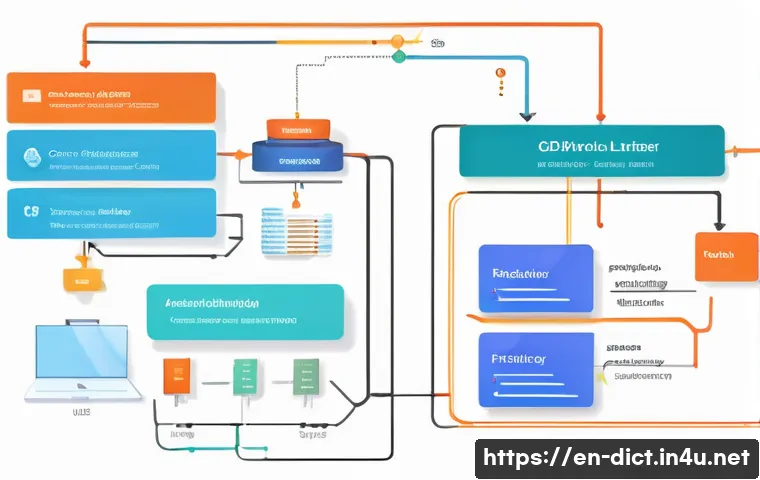
Efficient Backend Architecture and Database Management
Handling millions of queries daily demands a backend that’s both robust and scalable. I’ve learned that using cloud-based solutions with auto-scaling capabilities ensures the dictionary remains responsive during traffic spikes.
Employing NoSQL databases or hybrid models helps manage unstructured linguistic data efficiently. Indexing strategies, such as full-text search indexes, dramatically reduce lookup times.
Regularly optimizing queries and cleaning up outdated data maintain system health. Implementing load balancers distributes user requests evenly, preventing bottlenecks and downtime.
Implementing Caching Strategies for Faster Responses
Caching is a critical technique to speed up dictionary lookups. Storing frequently accessed words and their data in memory reduces server load and latency.
I have tested various caching layers, including CDN edge caching and in-memory caches like Redis, which cut response times by a significant margin. Dynamic content, like user-specific suggestions, can be cached selectively with expiration policies to keep the experience fresh.
Monitoring cache hit rates and tuning parameters based on usage patterns is essential to avoid stale or inconsistent data.
Ensuring Security and Data Privacy Compliance
With growing privacy concerns, securing user data and complying with regulations like GDPR or CCPA is non-negotiable. I always advocate encrypting sensitive data, using HTTPS, and offering transparent privacy policies.
For web dictionaries that include user accounts or personalized data, secure authentication methods and regular vulnerability assessments are crucial.
Additionally, respecting user preferences for cookies and data sharing builds trust, encouraging longer engagement and return visits. Security measures also protect the backend infrastructure from malicious attacks that could disrupt service.
Monetization Strategies Without Sacrificing User Experience
Balancing Ad Placement with Content Visibility
Generating revenue while maintaining a clean, distraction-free interface is a delicate balance. From personal experience, placing ads between sections rather than inline with definitions helps keep the content readable.
Responsive ad units that adapt to different screen sizes prevent layout breakage on mobile devices. Limiting the number of ads per page reduces user frustration and bounce rates.
Experimenting with native ads that blend naturally with the dictionary’s design often results in higher click-through rates without annoying visitors.
Offering Premium Features and Subscription Models
Introducing paid tiers with added benefits like offline access, advanced search filters, or ad-free browsing appeals to power users and language enthusiasts.
I’ve seen that transparent communication about what users gain from subscriptions increases conversion rates. Free trials or freemium models allow users to experience premium perks before committing.
Bundling dictionaries with language courses or writing tools can also enhance perceived value. It’s important to keep the core dictionary accessible to everyone while providing meaningful extras for subscribers.
Leveraging Affiliate Links and Sponsored Content
Affiliate marketing offers a subtle way to monetize without interrupting the user journey. Linking vocabulary words or example sentences to book recommendations, language apps, or educational products can generate passive income.
I recommend clearly labeling sponsored content to maintain trust. Collaborations with language learning platforms or publishers can also provide mutually beneficial exposure.
Monitoring the performance of affiliate links ensures only relevant, high-converting partnerships are pursued, optimizing revenue without compromising user experience.
Key Components of a Successful Web Dictionary Platform
| Component | Description | User Benefit | Technical Consideration |
|---|---|---|---|
| Search Bar with Autocomplete | Dynamic input field suggesting words as users type | Faster, error-free lookups | Requires efficient query handling and indexing |
| Pronunciation Audio | Recorded or synthesized pronunciations in multiple accents | Improves listening and speaking skills | Integration with audio APIs and caching |
| Example Sentences | Contextual usage of words in real sentences | Clarifies meaning and grammar | Curated content database or community contributions |
| Multilingual Support | Translations and localized content for various languages | Broadens audience reach | Complex localization and language mapping |
| Interactive Features | Quizzes, flashcards, personalized word lists | Enhances engagement and retention | Requires user accounts and progress tracking |
| Ad Integration | Non-intrusive ad placements tailored to user behavior | Generates revenue without harming UX | Ad server and responsive design considerations |
| Security and Privacy | Data protection and compliance with laws | Builds trust and safeguards user info | Encryption, authentication, policy management |
Closing Thoughts
Creating an intuitive and seamless dictionary experience requires careful attention to design, data accuracy, and user engagement. From prioritizing simple navigation to integrating interactive features, every detail contributes to a richer learning journey. With thoughtful performance optimization and monetization strategies, a dictionary platform can thrive while serving its users effectively. Ultimately, putting the user first ensures both satisfaction and long-term success.
Useful Tips to Keep in Mind
1. Always place the search bar prominently and enable autocomplete to speed up lookups and reduce errors.
2. Use clear visual hierarchy and collapsible sections to organize definitions and related information without overwhelming users.
3. Incorporate accessibility features such as adjustable fonts, high-contrast modes, and screen reader support to reach a wider audience.
4. Leverage APIs to keep content fresh, provide multiple pronunciations, and enrich examples with real-time data.
5. Balance monetization with user experience by placing ads thoughtfully and offering premium features that add real value.
Essential Takeaways for Building a Successful Dictionary
Design simplicity and fast, responsive navigation are the foundation of user satisfaction. Accurate and well-curated linguistic data paired with interactive tools like audio pronunciations and example sentences enhance learning. Accessibility and localization expand reach, while robust backend architecture ensures scalability and performance. Thoughtful monetization strategies help sustain the platform without compromising usability, making the dictionary both effective and sustainable in the long run.
Frequently Asked Questions (FAQ) 📖
Q: What are the key features to include when creating a modern web dictionary?
A: When building a modern web dictionary, you should focus on several essential features. First, accurate and up-to-date word definitions are a must. Next, incorporating pronunciation guides—both phonetic spelling and audio clips—helps users grasp correct pronunciation easily.
Including example sentences provides context, making meanings clearer. Additionally, AI-powered suggestions can offer users related words or phrases based on their search, enhancing the learning experience.
A user-friendly interface that works seamlessly on both desktop and mobile devices is crucial for accessibility. Real-time updates ensure the content stays relevant, especially with evolving language trends.
From my experience, blending these elements creates a comprehensive tool that appeals to learners, writers, and developers alike.
Q: How can developers ensure the linguistic database of a web dictionary stays accurate and current?
A: Maintaining an accurate and current linguistic database involves a multi-layered approach. First, sourcing data from reputable dictionaries and linguistic corpora is fundamental.
Many platforms use APIs from established language resources to keep definitions reliable. Incorporating user feedback can also highlight errors or suggest new words, helping the database evolve naturally.
Regular updates are essential since language is always changing—new slang, technical terms, and borrowed words emerge constantly. Automating updates with AI tools can speed up this process, but human oversight remains vital to avoid mistakes.
In projects I’ve worked on, combining automated data collection with expert review strikes the perfect balance for accuracy and freshness.
Q: What challenges might one face when integrating
A: I-powered context suggestions in a web dictionary? A3: Integrating AI-powered context suggestions is exciting but comes with its share of challenges. One major hurdle is ensuring the AI understands nuanced meanings and usage variations, especially with homonyms or idiomatic expressions.
Sometimes, AI might suggest irrelevant or confusing alternatives if not properly trained. Another challenge is balancing computational resources—real-time suggestions require efficient algorithms to avoid slowing down the user experience.
Privacy concerns also come into play if the AI analyzes user input data. From my experience testing AI features, fine-tuning models with diverse and high-quality language data is key to delivering helpful, context-aware suggestions without overwhelming or misleading users.